

Schedule your 20-minute demo now
Become a Mech Partner
Fill out the form below and our team will be in touch within 1–2 business days.

Subscribe to our Newsletter
Join 10k+ people to get notified about new posts, news and updates.
Do not worry we don't spam!
What are you looking for?

Manage Subscriptions Without Leaving Mech
Connect Mech with ReCharge to give your support team full subscription context next to every conversation. View and manage subscription details in one place: no tab switching, faster resolutions.





Subscription Details in Every Ticket
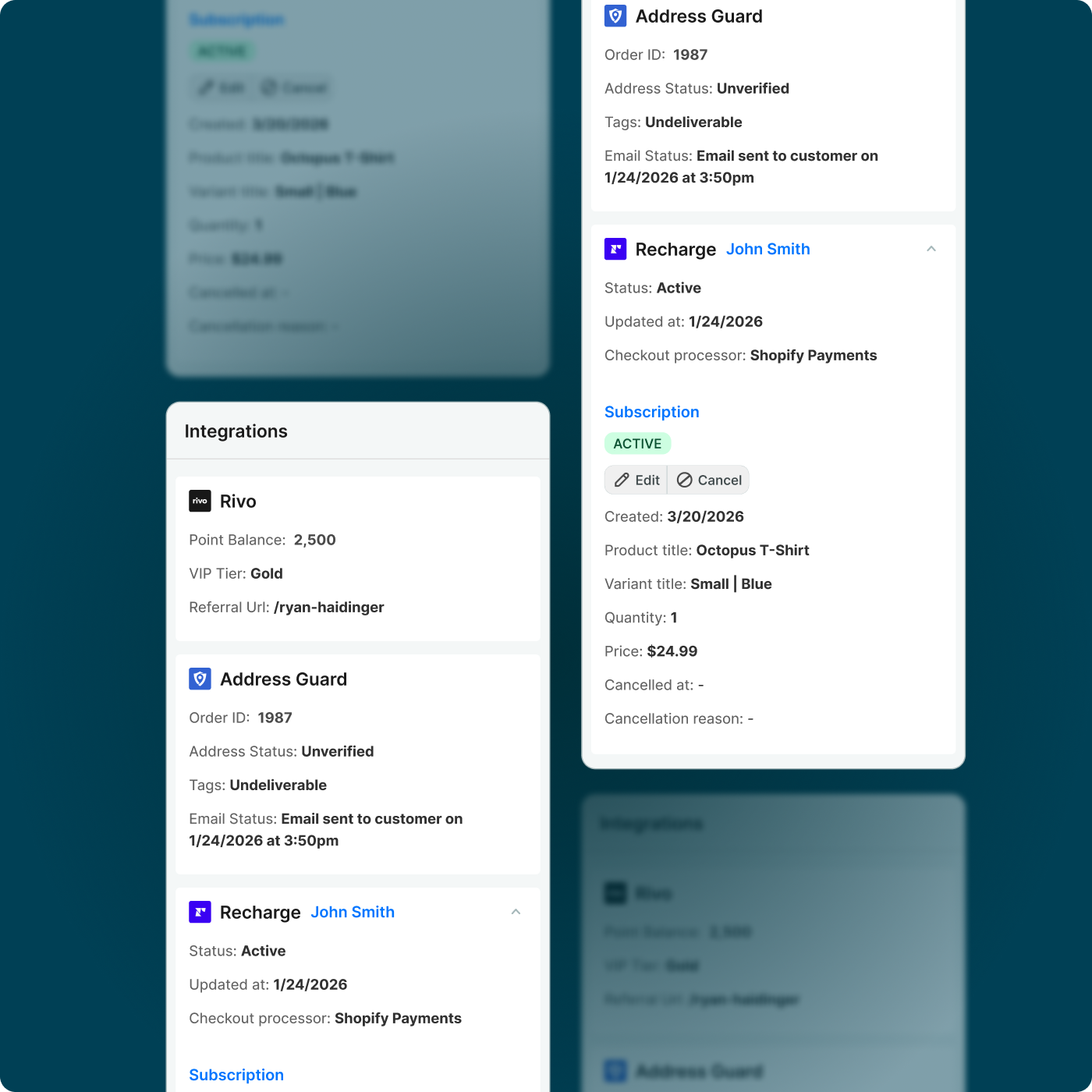
See a customer's subscription status, billing details, and order history displayed directly in the Mech customer sidebar next to every support conversation.
Frequently Asked Questions
- Do I need a ReCharge account to use this integration?
Yes. You will need an active ReCharge account to connect it to Mech. Setup takes just a few minutes from your Mech settings page.
- What subscription data appears in Mech?
You can see subscription status, next order date, billing information, and order history from ReCharge directly inside each Mech ticket.
- Can agents make changes to subscriptions from within Mech?
Yes. Common subscription actions can be performed directly from the Mech interface so agents never need to leave the helpdesk.
- Is there an extra charge for this integration?
No. The ReCharge integration is included in your Mech subscription at no additional cost.
Start your 7-day free trial
Trusted by hundreds of Shopify brands